
Best Hairstyle Apps 2026: Free vs Paid Comparison
Compare the top hairstyle apps and websites in 2026. We’ve tested every major platform — browser try-on tools, AR apps, and the new wave of AI hairstyle generators — to help you choose the right tool for previewing new styles before your salon visit.
Quick Comparison: Top 8 Hairstyle Apps
| App / Website | Free Version | Browser Support | Registration | Real-Time Preview | Photo Upload | Style Variety | Best For |
|---|---|---|---|---|---|---|---|
| ChangeMyHairstyle | ✅ Full Access | ✅ Desktop & Mobile | ✅ None Required | ✅ Yes | ✅ Yes | ⭐⭐⭐⭐⭐ | Quick, no-commitment previews |
| YouCam Makeup | ⚠️ Limited Features | ❌ App Only | ❌ Required | ✅ Yes | ✅ Yes | ⭐⭐⭐⭐⭐ | Professional AR features |
| FaceApp | ⚠️ Limited Features | ❌ App Only | ✅ None for Basics | ❌ Photo-Based | ✅ Yes | ⭐⭐⭐⭐ | AI color & style edits |
| Fotor AI Hairstyle Changer | ⚠️ Limited Credits | ✅ Yes | ❌ Account for AI Tools | ❌ Photo-Based | ✅ Yes | ⭐⭐⭐ | AI-generated makeovers |
| The Right Hairstyles | ⚠️ 1 Style Only | ✅ Yes | ❌ Email Required | ❌ No | ✅ Yes | ⭐⭐ | Basic style suggestions |
| TRESemmé Styler | ✅ Free | ❌ Mobile Only | ❌ Contact Info | ❌ No | ✅ Yes | ⭐⭐ | Brand-specific looks |
| Sally Beauty ColorView | ✅ Free | ❌ App Only | ❌ Required | ✅ Yes | ✅ Yes | ⭐⭐ (Color Only) | Hair color testing |
| Ulta Beauty AR | ⚠️ Limited | ❌ App Only | ❌ Account Needed | ✅ Yes | ✅ Yes | ⭐⭐ | Product previews |
Last updated: August 2026 | Suggest an app or correction
Detailed App Reviews & Analysis
1. ChangeMyHairstyle – Browser-Based Solution
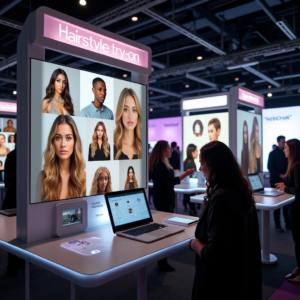
A completely browser-based platform requiring no downloads or registration. Users can instantly preview styles using photo upload or live camera. The interface prioritizes speed and simplicity over advanced features.
- Pros: No barriers to entry, works on any device, privacy-focused
- Cons: Can’t be embedded into third-party websites
- Best for: Users wanting quick previews without commitments
2. YouCam Makeup – Professional AR Platform
Developed by Perfect Corp, this app leads in AR technology for beauty applications. The app offers sophisticated face tracking and realistic hair rendering, though premium features require subscription.
- Pros: Industry-leading AR technology, extensive style library
- Cons: Requires app download, premium features cost $4.99-9.99/month
- Best for: Users wanting professional-grade previews
3. FaceApp – AI Photo Editor with Hairstyles
One of the best-known AI photo editors, FaceApp includes hairstyle and hair color filters alongside its face-editing tools. Edits are applied to an uploaded photo rather than a live camera view, and results lean realistic. The free tier covers basic styles; the Pro subscription unlocks the full filter library and removes watermarks.
- Pros: Polished AI results, simple to use
- Cons: App download required, best features behind the Pro subscription
- Best for: Quick AI color and style experiments on a selfie
4. Fotor – Browser AI Hairstyle Changer
Fotor’s AI hairstyle changer runs in the browser with no install: upload a photo, pick a style, and the AI re-renders your hair. Renders look natural but take a few seconds each, and free usage is limited by credits before an upgrade prompt appears.
- Pros: Works in any browser, realistic AI renders
- Cons: Account needed for AI tools, limited free credits
- Best for: AI-generated makeover images
5. The Right Hairstyles – Email-Based Service
This website offers style recommendations based on face shape analysis. The free version provides one randomized suggestion after email submission. Full access requires paid membership.
- Pros: Face shape analysis included
- Cons: Email required, limited free options
- Best for: Users seeking personalized recommendations
6. TRESemmé Virtual Styler – Brand Experience
A promotional platform showcasing TRESemmé-inspired looks. Requires QR code scanning and mobile device access. Primarily designed to promote brand products rather than provide comprehensive style options.
- Pros: Professional salon styles
- Cons: Limited to brand looks, mobile-only
- Best for: TRESemmé product users
7. Sally Beauty ColorView – Color Specialist
Focuses exclusively on hair color visualization through mobile app or in-store kiosks. Excellent for testing shades before purchasing color products, but doesn’t offer cut or style changes.
- Pros: Accurate color representation
- Cons: Color only, no style changes
- Best for: Color selection before dying
8. Ulta Beauty Hair Try-On – Retail Integration
Integrated with Ulta’s product catalog, allowing virtual preview of items before purchase. Requires app download and account creation. Limited to products available at Ulta.
- Pros: Direct shopping integration
- Cons: Limited to Ulta products
- Best for: Ulta shoppers
AR Try-On vs. AI Hairstyle Generators: What Changed in 2026
Hairstyle apps now fall into two camps. AR try-on tools (like YouCam) overlay a style on your face in real time — instant, interactive, and great for flipping through many cuts quickly. AI hairstyle generators (like FaceApp or Fotor) re-render your uploaded photo with the new style — stills can look more natural, but each render takes a few seconds and free versions are usually credit-limited.
ChangeMyHairstyle combines the strengths of both: an AI hairstyle changer that runs free in your browser with no app download and no sign-up. Upload a photo or use your camera, pick a cut and color, and see it on your own face in seconds.
How to Choose the Right Hairstyle App
Consider Your Needs:
- Quick Preview: Choose browser-based options without registration
- Professional Features: Invest in premium apps with advanced AR
- Color Testing: Use specialized color-focused tools
- Shopping Integration: Select retail-connected apps
Privacy Considerations:
Browser-based tools typically don’t store photos, while apps may retain data for improvements. Review privacy policies before uploading personal photos.
Technology Requirements:
- Browser tools: Work on any modern device
- Mobile apps: Require iOS 12+ or Android 8+
- AR features: Need devices with front-facing cameras
Frequently Asked Questions
Which app has the most hairstyles?
YouCam Makeup and ChangeMyHairstyle offer the largest style libraries, with hundreds of options across different lengths and types.
Is there a free hairstyle app with no sign-up?
Yes. Browser-based tools work without an account — ChangeMyHairstyle is free with no login, no download, and no subscription, so you can try styles straight from this site.
What’s the difference between an AI hairstyle generator and a virtual try-on?
An AI generator re-renders your uploaded photo with the new style, while a virtual (AR) try-on overlays styles on your live camera view. Generators tend to look more realistic in still photos; try-ons are faster for comparing many styles side by side.
Are free hairstyle apps safe to use?
Browser-based tools are generally safer as they don’t require permissions. Always review app permissions before installing.
Can these apps suggest styles for my face shape?
Some apps like The Right Hairstyles include face shape analysis. Others focus purely on visualization without recommendations.
Do I need to pay for good results?
Several free options provide excellent results. Paid features typically add more styles, remove watermarks, or enable HD exports.
About This Comparison: Our hands-on testing of the original six platforms was conducted in September 2025; the lineup, details, and AI-generator coverage were refreshed in August 2026. Features, pricing, and availability change frequently across different platforms. We recommend verifying current details directly with each service before making your choice. We attempt to update this review periodically to reflect major changes.
Ready to try a new look?