
Welcome to Change My Hairstyle: Your Free Virtual Hair Makeover Tool
Try styles instantly on your photo. This lets you upload a selfie and experiment with a wide range of hairstyles, colors, and trends in seconds. Try before you cut, with no sign-up needed.
See it on your own face first


Look at Cindy’s dramatic transformation in the before and after photo above.
She wanted to change her hairstyle but wasn’t sure what would work until she tried our free service and discovered a hairstyle that completely transformed her look!
Ready to change your hairstyle? Select one:
Women’s Styles or Men’s Cuts
Virtual Hairstyles, Haircuts & Hair Colors
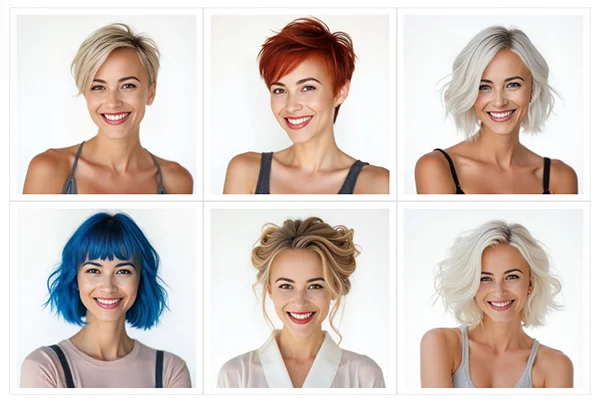
Discover Your New Look with Our Free Hair Makeover Tool
It’s that easy. The tool is free to use, with no paid tier and no upgrade. The right cut changes how a face reads, and seeing it on your own photo is the quickest way to find out which one does that for you.
How to Try On Hairstyles With Your Photo
Upload a photo, pick a style, and the tool puts that cut on your face. It runs in your browser, so nothing installs on your phone or computer.
- Upload a selfie or any clear photo of your face.
- Pick a hairstyle from the women’s gallery or the men’s gallery.
- Wait a few seconds, then compare the result against your original.
Try another style on the same photo as often as you like, or upload a different picture and start again.
No Sign Up, No App, No Email
You can use the tool without making an account. There is no download, and no card is asked for at any stage.
Other tools work differently. Some want you logged in before your first try. Others hand you a set number of credits and then ask for payment. Here you get a finished result before anyone asks you for anything.
What It Costs and How Many Styles You Get
Nothing. There is no paid tier and no upgrade.
As a guest you get 5 try-ons every 96 hours. A free account raises that to 30 every 24 hours. The account step is there to prevent abuse and keep the tool free for everyone.
Which Photo Works Best
A clear, front-facing selfie in JPG or PNG under 5MB gives the best result. Bright, natural light helps, and so does a relaxed expression.
Angled shots, deep shadow, hats and sunglasses all make the job harder. When a result looks wrong, changing the photo usually helps more than changing the hairstyle.
Hairstyles for Women and Men
The women’s gallery runs from pixie cuts and bobs through layers, braids, updos and long styles. The men’s gallery covers fades, crops, crew cuts and slick backs, and splits further into styles for boys, young men, and men over 40.
Hair colors sit in their own gallery, from natural browns and blondes through to platinum, red and pastels.
What Happens to Your Photo
Your photo and your result are private. Nothing is published anywhere unless you choose to share it.
The photo you upload is deleted within 48 hours. Your result comes off the site within 48 hours too, and a copy is kept for up to 90 days only for abuse checks.
Using It Before a Salon Appointment
Describing a haircut to a stylist is hard, and photos of other people only go so far, because the cut sits differently on every face.
Run the style on your own photo first, then bring the result to the appointment.
Your Questions About Our Virtual Hair Makeover Tool
Is the virtual hair makeover tool really free?
Yes. Our virtual hair makeover tool lets you try 5 hairstyles with no sign-up required. To continue, create a free account. It’s still 100% free after sign-up, no credit card needed, and your limit will be increased to 30 per day. We added this step to prevent abuse and keep the service free for everyone.
How do I change my hairstyle virtually?
Start by browsing our galleries of women’s and men’s styles, then use our free makeover tool to see the transformation on your own face instantly.
Can I show my hairstylist my virtual makeover?
Yes. Instead of guessing with random photos, you can now show your stylist exactly how a haircut or color looks on your own face. That makes the conversation at the salon a lot shorter.
How do I find the right hairstyle to change to?
Our collection includes over 1,000 hairstyles and popular colors, neatly organized by cut, style, and vibe. Pixie cuts, balayage, curtain bangs and ombre are all in there.
Should I change my hairstyle for my age?
Our virtual makeover shows how different styles look at any age. Browse options in our women’s and men’s galleries, then preview your new look risk-free.
What are the most popular hairstyles and hair colors?
Pixie cuts, asymmetrical bobs, box braids, and balayage styles are among the favorites. For color, black and brown remain the most common, while platinum, white, and pastel hues are trending with a bold, modern flair.
Is my photo or makeover result shared publicly?
Nope, your photos and results are private by default. If you want to share your new look on our site, you can opt in. Otherwise, your images stay between you and your hairstylist.
Can I try hairstyles on my face without signing up?
Yes. 5 try-ons are open to guests with no account at all. Nothing asks for an email before you see your first result.
Does it work on a phone?
Yes. It runs in a mobile browser and there is no app to install.
How realistic are the results?
The tool generates the hairstyle onto your own photo rather than laying a template over it, so the shape follows your face. Lighting in the photo you upload affects the result more than anything else.
Can I change my hair color instead of the cut?
Yes, with the hair color tool. It leaves your haircut alone and changes only the shade.
What if I use up my try-ons?
Guest try-ons reset on a rolling 96 hour window. A free account raises the allowance to 30 every 24 hours.